The hardest part of LinkedIn isn't writing - it's deciding what's worth saying. The good news is you don't need a perfect idea to get started. You just need a direction.
Quick ways to get unstuck
Start with a suggested idea in Content Creation
- Write about a real experience you've had
- Share a take on something in your industry
- Revisit and finish a saved draft
- Ask Latitude for new ideas based on a topic
1. Start with suggested ideas (fastest path)
Latitude already generates ideas based on your strategy, goals, and audience.
Where to go:
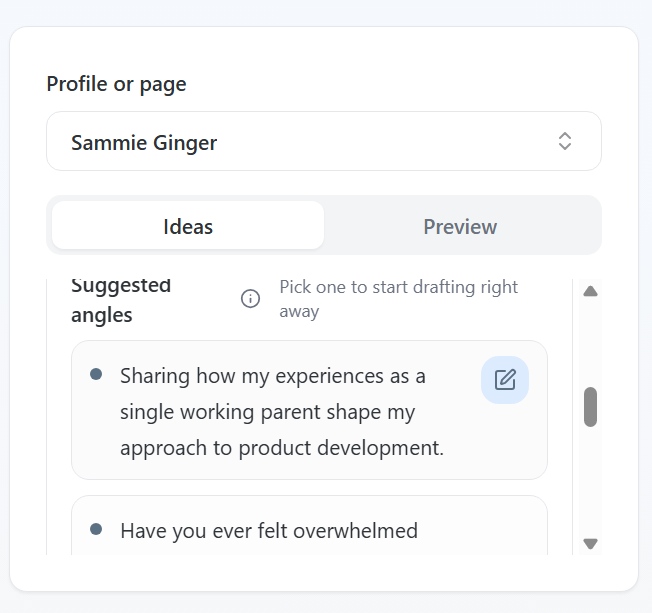
Open Content Creation
- Look under Suggested angles
You can:
- Click a suggestion to instantly move it into the editor
- Use it as-is or add your own context before generating a draft
If nothing stands out:
Enter a topic (e.g. "job searching" or "AI in product")
- Click Generate Ideas to get more tailored suggestions
This is the fastest way to go from blank page -> real draft.
2. Share a personal story
You don't need to be an expert to post - you just need a perspective.
Some of the best-performing posts are simple experiences like:
- A challenge you faced at work
- A lesson from a recent project
- Something that surprised you during your job search
Easy starting prompt:
"One thing I didn't expect about [situation] was..."
From there, just explain what happened and what you learned.
3. Share a point of view on your industry
You likely have more opinions than you think.
Start small:
- What's something people in your field get wrong?
- What's a trend you agree or disagree with?
- What's something you've noticed others aren't talking about?
You don't need a "hot take" - just an honest one.
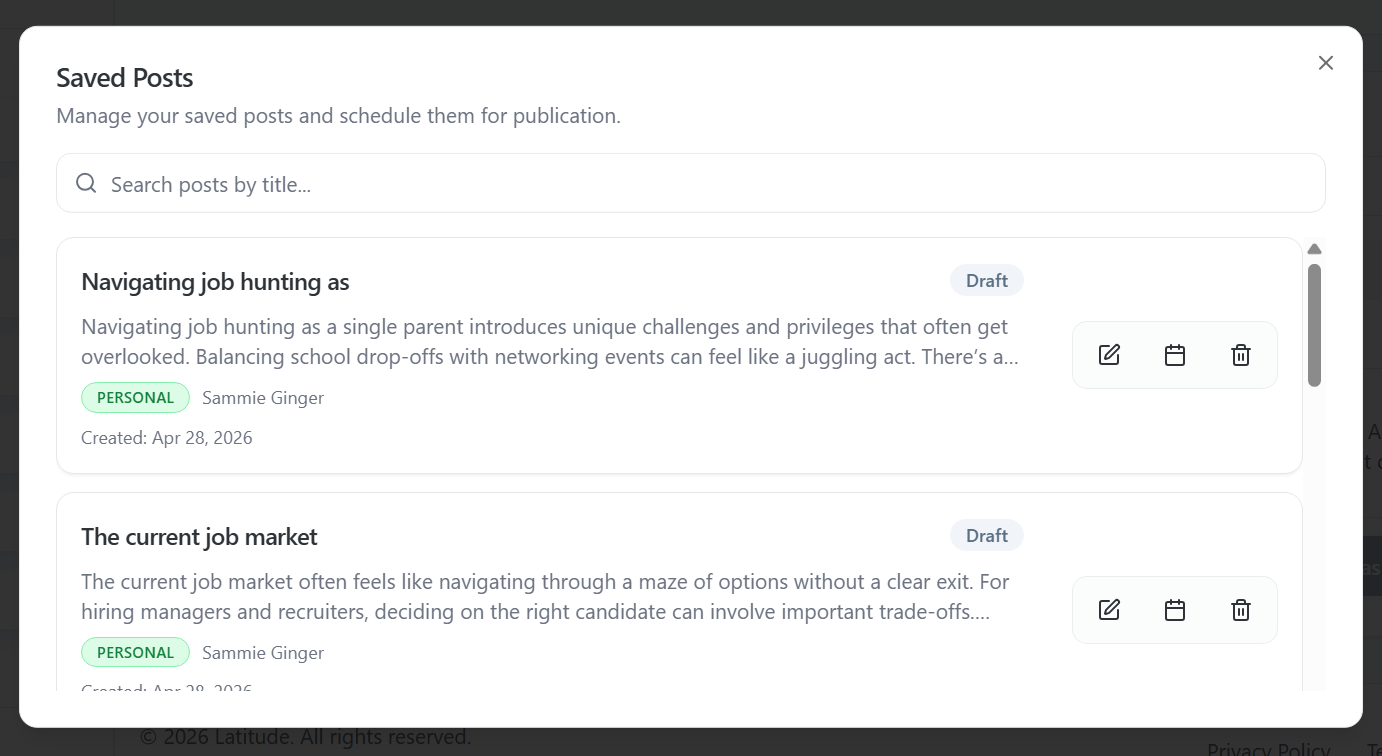
4. Revisit a saved draft
You may already have something worth posting.
Where to look:
View Saved Posts in Content Creation
- Or check drafts in the Scheduler
You can:
- Open a draft
- Edit or refine it
- Schedule it when ready
Most people don't need a new idea - they just need to finish one they already started.
5. Use AI to build from a rough idea
You don't need to write a full post yourself.
In Content Creation, you can:
- Type a rough idea or topic
- Click Get AI Suggestion
- Add guidance like:
- "Make this more personal"
- "Focus on job searching"
- "Add a stronger opinion"
The more direction you give, the more it will sound like you.
A quick note on getting started
You don't need to post perfectly - you just need to post once.
That first post is what unlocks:
- Momentum
- Better recommendations
- More personalized suggestions from Latitude
From there, it gets easier.
Want more help?
If you're still not sure what to post, you're not stuck - you just need a bit more direction.
You can:
- Keep refining ideas inside Latitude
- Reach out to support for guidance
- Or use our managed services, where a content writer can help create and schedule posts for you
Screenshots if needed