Quick checklist (start here)
Run through these first - one of these is almost always the cause:
- Is your post still a draft instead of scheduled?
- Does your LinkedIn account need to be re-authenticated?
- Is your posting timezone what you expect?
- Does your post show as failed in the Scheduler?
1. Draft vs Scheduled vs Published
The most common issue is that the post was never actually scheduled.
What to check:
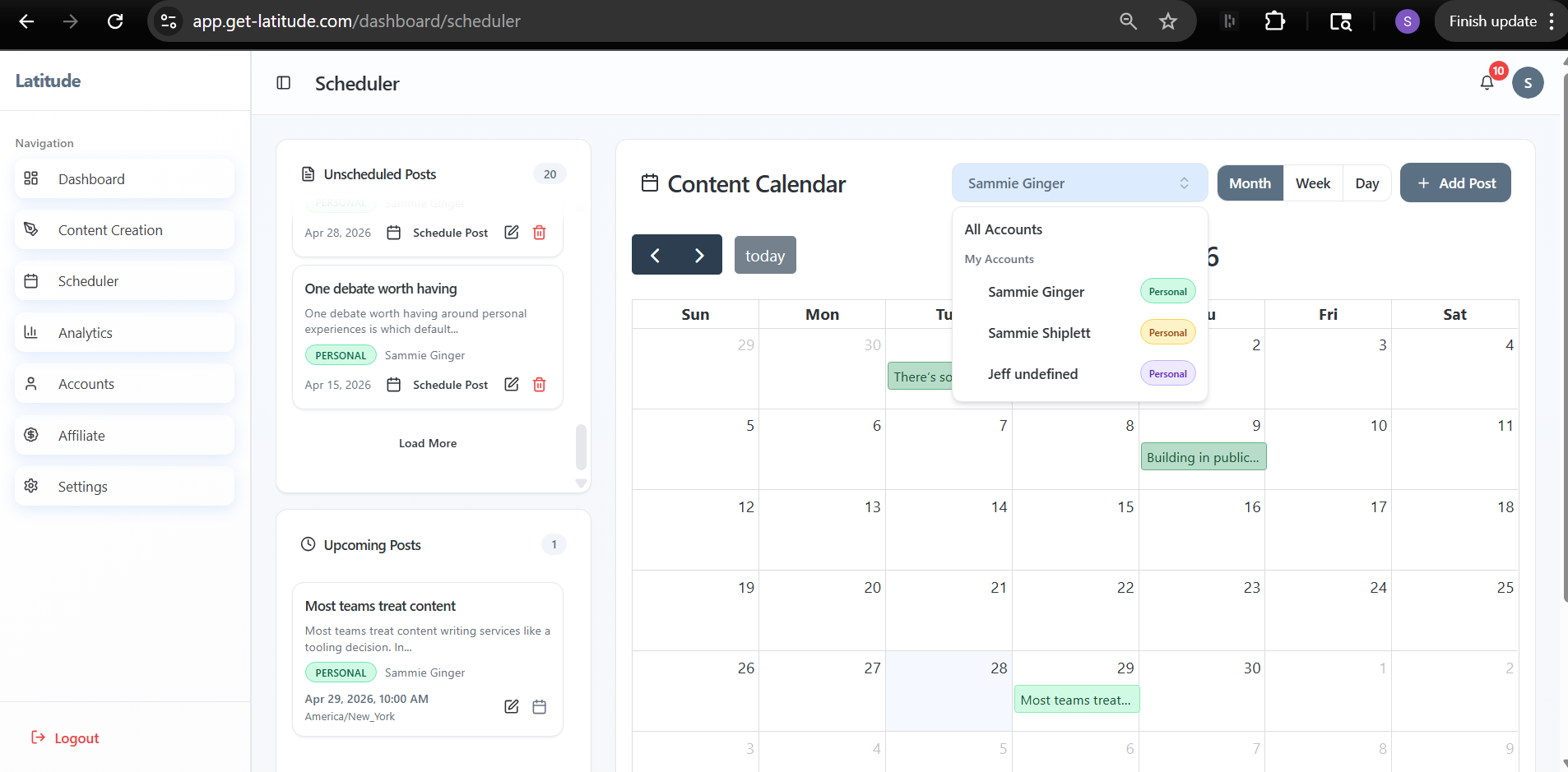
Go to Scheduler
- Look for your post:
If it's in Unscheduled Posts, it's still a draft
If it's on the calendar, it's scheduled
If it's a darker shade, it has already attempted to publish
How to fix it:
If it's a draft, drag it onto a date in the calendar and select a time
You'll see a confirmation in the top-right when it's successfully scheduled
2. LinkedIn connection needs re-authentication
If your LinkedIn connection expires, posts will fail silently until you reconnect.
This is the most common cause of "nothing happened."
What to check:
Go to Accounts
- Look for a yellow "Re-authenticate" button next to your account
How to fix it:
Click Re-authenticate and reconnect your LinkedIn account or
- Log out and use "Login with LinkedIn" on the login page
Once reconnected, future posts will publish normally. Any posts that previously failed will need to be rescheduled.
3. Timezone mismatch
Sometimes the post did schedule - just not at the time you expected.
What to check:
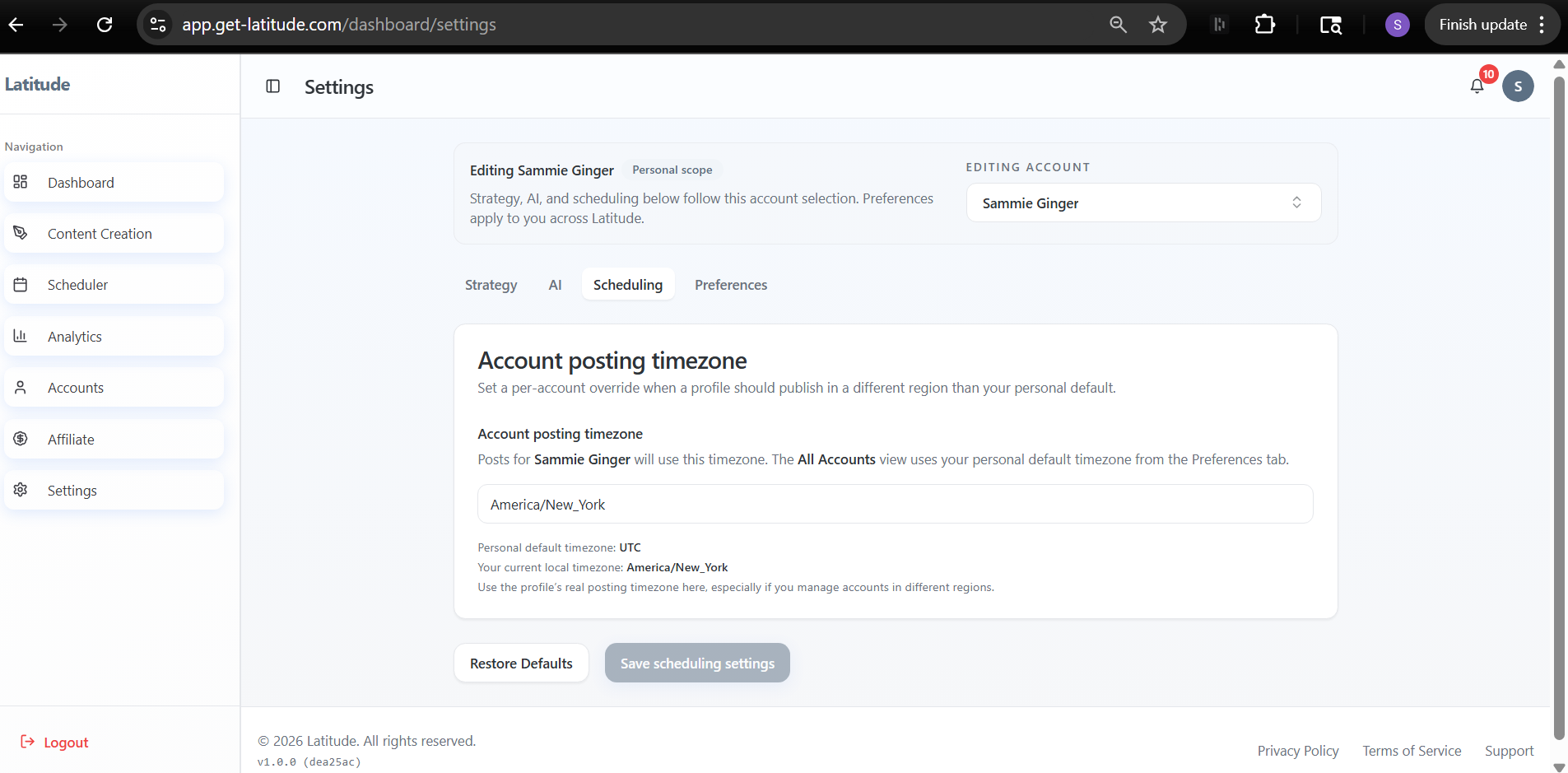
Go to Settings -> Scheduling
- Confirm your Account posting timezone
Important:
- Each account can have its own timezone
- Your personal default timezone may be different from your account's posting timezone
How to fix it:
Update the timezone if needed
- Save your settings
- Double-check the scheduled time on the calendar
4. The post failed to publish
Latitude will mark posts as failed if something goes wrong during publishing.
What to check:
In the Scheduler, look for posts that have already passed their scheduled time
- These will appear as completed (darker color), even if they failed
Important:
- Latitude makes one publish attempt
If something fails (like an expired LinkedIn connection), it will not retry automatically
How to fix it:
Fix the underlying issue (usually re-authentication)
- Manually reschedule the post
Still not seeing your post on LinkedIn?
If the post isn't visible on LinkedIn, it didn't publish - even if it looked scheduled in Latitude.
Go back through:
- LinkedIn connection
- Scheduler status
- Timezone
If everything looks correct and it still didn't go out, reach out to support and we'll take a closer look.
Screenshots if needed