
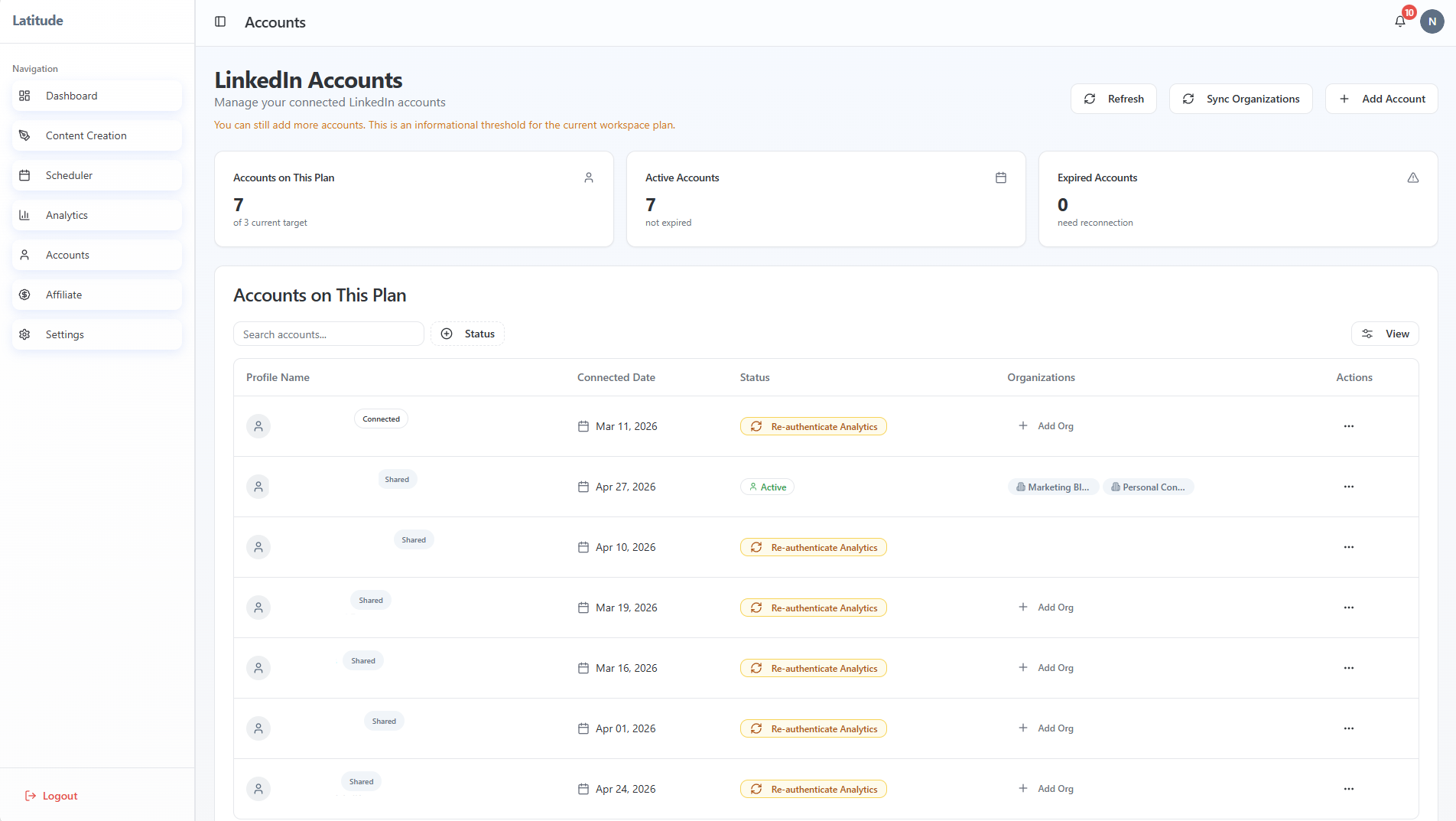
Latitude supports multiple LinkedIn accounts - but not multiple users (logins) in the same workspace.
Quick checklist (start here)
Are you trying to add another LinkedIn account or another person/user?
- Are you logged into the correct LinkedIn account in your browser?
- Has that LinkedIn account already been connected to another Latitude account?
Multiple LinkedIn accounts vs multiple users
These are two different things:
Multiple LinkedIn accounts (supported)
You can connect multiple LinkedIn profiles that you manage.
- Each account appears in your Accounts tab
- You can switch between them when creating or scheduling posts
- Company pages are attached under those accounts
Multiple users (not supported)
Latitude does not currently support:
- Inviting teammates into your workspace
- Separate logins under one account
- Role-based access or approvals
If you're looking to collaborate as a team, this isn't available yet.
How to add another LinkedIn account
To connect an additional account:
- Go to Accounts
- Click Add Account
- Log into the LinkedIn account you want to connect
- Click Allow on the permissions screen
- Confirm the account appears in your list
Important: avoid the #1 connection issue
LinkedIn uses your current browser session.
If you're trying to add a second account:
Go to linkedin.com
- Log out of your current account
- Start the connection again in Latitude
- Log in with the correct account when prompted
If you skip this step, LinkedIn may connect the wrong account or throw an error.
Why you might not be able to add an account
The account is already connected elsewhere
A LinkedIn account can only be connected to one Latitude account at a time.
If this happens:
You'll need to contact support to remove the original connection
You're hitting your plan limit
The number of LinkedIn accounts you can connect depends on your subscription.
To add more:
- Click your profile icon (top-right)
- Select Manage my subscription
- Upgrade your plan if needed
Working with others
If you're using Latitude with a team:
A managed user can review posts created for them
- But full team collaboration (multiple logins, shared workspace) is not supported
One thing to remember
Latitude is designed to manage multiple LinkedIn accounts from one place, not multiple users in one account.
Once that distinction is clear, everything else becomes much easier to navigate.
Still stuck?
If you're unsure why an account won't connect, support can help you resolve it quickly - especially if it's tied to an existing connection.