
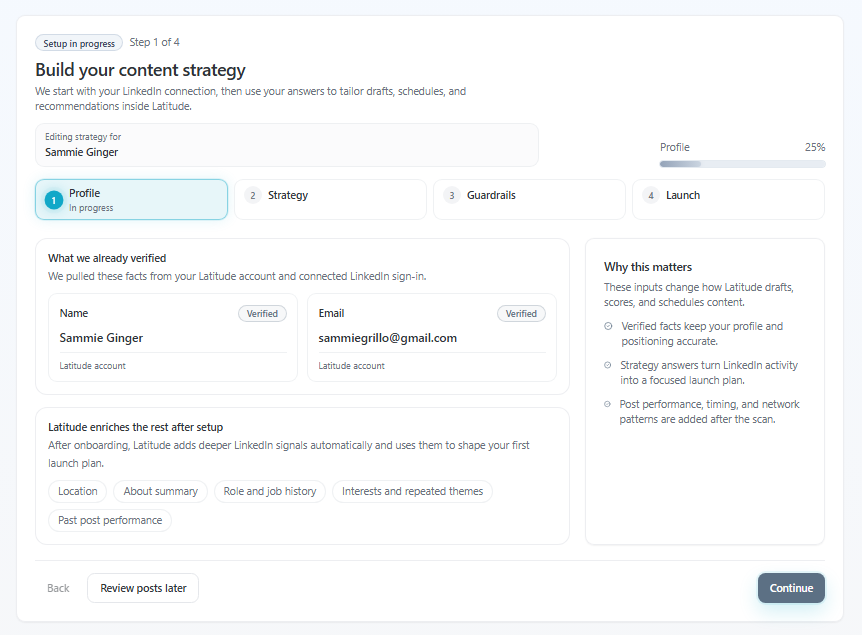
If you're not sure where to start, you're in the right place.
Latitude is designed to get you from "I don't know what to post" to your first week of content ready to go - in just a few minutes.
Quick checklist (start here)
Have you connected your LinkedIn account?
- Did you complete your Content Strategy?
- Did you review your first 5 posts in the Launch step?
- Did you click Auto-schedule all or save your drafts?
If not, that's your fastest path forward.
The fastest way to get started
Latitude already does most of the work for you - you just need to review and approve it.
Step 1: Connect your LinkedIn account
If you haven't already:
Go to Accounts
- Click Add Account
- Complete the LinkedIn connection
This allows you to publish and schedule posts.
Step 2: Complete your Content Strategy
This is where Latitude learns:
What you want to talk about
Who your audience is
How you like to write
If you skipped this during onboarding, you can always come back to it:
-> Settings -> Strategy -> Complete Content Strategy
Step 3: Review your first 5 posts
On the final step of your strategy (Launch tab), Latitude generates your first batch of posts for you.
You can:
- Read through each draft
- Use the tuning options (more personal, more concise, etc.)
- Edit anything directly
These posts are already aligned to your:
- Goals
- Audience
Best posting times
Step 4: Schedule your posts
Once you're happy with them, you have two options:
Option A (fastest):
- Click Auto-schedule all
- Latitude will place all posts on your calendar based on optimal timing
Option B:
- Save them as drafts and schedule later
If you click Finish onboarding, you can always come back and schedule them later.
What success looks like
You're done when:
- You have multiple posts ready to go
- They're either scheduled or saved as drafts
- Your content plan is set for the week
At that point, Latitude will also begin analyzing your LinkedIn activity to improve future suggestions.
If you skipped onboarding
No problem - you didn't miss anything.
You can jump back in anytime:
-> Go to Settings -> Strategy -> Complete Content Strategy
This will take you back through the flow and generate your first set of posts.
Want an even easier path?
If you don't want to create or manage content yourself, we can help with that too.
Latitude offers managed services, where a content writer can:
- Create posts for you
- Refine your voice
- Schedule everything
One thing to remember
You don't need to start from scratch.
If you follow this flow, you'll go from "I don't know what to post" to a full week of content ready to go - without staring at a blank page.